
Hold to Confirm Button That Stamps Approval interactive section
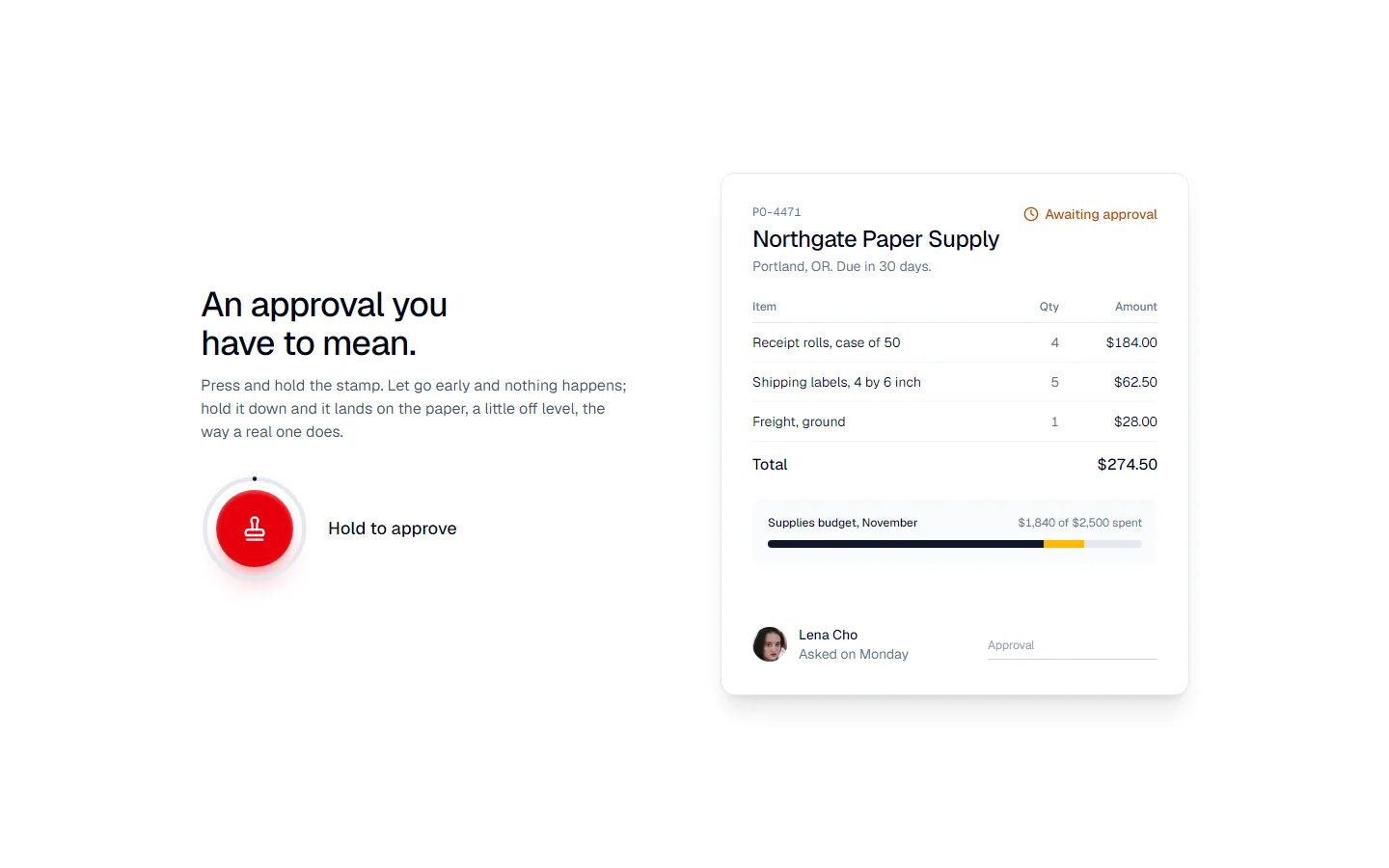
React hold to confirm button: a press-and-hold confirm button drawn as a rubber stamp: hold it and a ring fills, let go early and nothing happens, hold it down and the word lands on the document in uneven red ink.
Features
- Press and hold with the pointer, the space bar or Enter; a ring fills while you hold
- Letting go early drains the ring and nothing happens, so the action can't be triggered by accident
- The imprint lands a few degrees off level, different each time, in ink with small gaps eaten out by a noise filter
- The paper takes the knock, its status turns to Approved and the order fills in on its budget bar; Undo lifts the stamp again
- The document is a real purchase order: a line-item table and a budget bar
- A useHold hook you can put behind any button
- Announced state changes and no motion for reduced motion
Best for: Approvals, payments, deletions and any action that should take a deliberate second, not a stray click.
Installation
npm install motion lucide-react clsx tailwind-mergeThen copy the files from the Code tab into the same paths in your project, in TypeScript or JavaScript.
Props
| Prop | Type | Default | Description |
|---|---|---|---|
| title | string | - | The headline. |
| description | string | - | The line under the headline. |
| document | object | - | The purchase order: number, vendor, status wording, line items, total, the budget it draws on, who asked, and the approval space label. |
| stamp | object | - | The stamp's word and signer, the hold and holding hints, the done line with {time}, and the undo label. |
| holdSeconds | number | 0.9 | How long the stamp must be held. |
| onApprove | () => void | - | Called when the stamp lands. |
| className | string | - | Classes on the section. |
FAQ
Is the Hold to Confirm Button That Stamps Approval interactive section free to use?
Yes. Hold to Confirm Button That Stamps Approval is free to copy into your own projects. Open the Code tab and paste the files into your app.
Does Hold to Confirm Button That Stamps Approval work with Next.js and React?
Yes. It's a React client component made for the Next.js App Router, styled with Tailwind CSS and animated with Framer Motion (the motion package).
Can I use Hold to Confirm Button That Stamps Approval in JavaScript instead of TypeScript?
Yes. Every file comes in TypeScript and JavaScript. Switch the language in the Code tab.
What does Hold to Confirm Button That Stamps Approval need installed?
motion, lucide-react, clsx, tailwind-merge, plus the shared helpers from the Installation page.
Is Hold to Confirm Button That Stamps Approval accessible?
Every link and button is reachable by keyboard with a visible focus ring, and the animation stays still for visitors who ask for reduced motion.