
Drag and Drop File Upload Where Files Stack on a Pallet interactive section
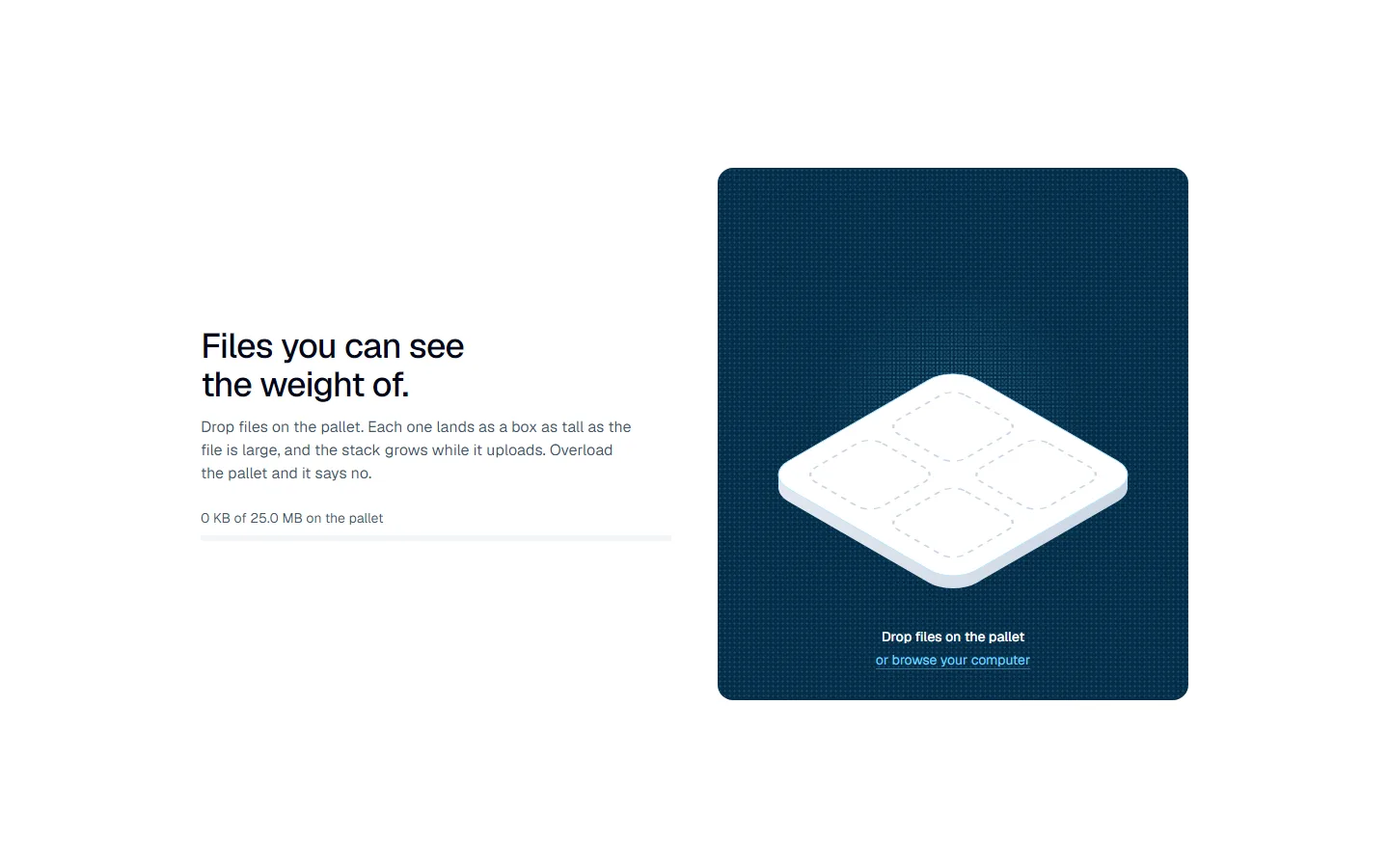
A drag and drop file upload component where every file becomes a box on a pallet, as tall as the file is large, stacking up while it uploads, with a load line for the upload limit.
Features
- The pallet sits on a deep blue dot-matrix panel whose centre lights up while files are dragged over it
- Drop files on the pallet, or click it to browse: a real file input underneath, so keyboard and screen readers work
- Each file lands as a soft isometric box with its type stencilled on the lid, as tall as the file is large
- A box rises with its upload progress and turns white when done; a failed one turns amber
- A load line shows how much of the upload limit is used; a file that would overload it is turned away with its name
- A list beside the pallet with each file's name, size, progress and a remove button; a removed box lifts off
- Takes your own upload function with a progress callback; motion is skipped for reduced motion
Best for: Any app where people upload files and need to see what they added, how big it is and how close they are to the limit.
Installation
npm install motion lucide-react clsx tailwind-mergeThen copy the files from the Code tab into the same paths in your project, in TypeScript or JavaScript.
Props
| Prop | Type | Default | Description |
|---|---|---|---|
| title | string | - | The headline. |
| description | string | - | The line under the headline. |
| capacity | number | - | The upload limit in bytes, across all files. |
| maxFiles | number | - | The most files the pallet takes. |
| accept | string | - | File types to accept, as on a file input. |
| labels | object | - | The drop and browse lines, the load line with {used} and {capacity}, the full and rejected messages, and the remove and failed labels. |
| upload | (file, onProgress) => Promise<void> | - | Uploads one file and reports progress from 0 to 1; reject to mark it failed. |
| className | string | - | Classes on the section. |
FAQ
Is the Drag and Drop File Upload Where Files Stack on a Pallet interactive section free to use?
Yes. Drag and Drop File Upload Where Files Stack on a Pallet is free to copy into your own projects. Open the Code tab and paste the files into your app.
Does Drag and Drop File Upload Where Files Stack on a Pallet work with Next.js and React?
Yes. It's a React client component made for the Next.js App Router, styled with Tailwind CSS and animated with Framer Motion (the motion package).
Can I use Drag and Drop File Upload Where Files Stack on a Pallet in JavaScript instead of TypeScript?
Yes. Every file comes in TypeScript and JavaScript. Switch the language in the Code tab.
What does Drag and Drop File Upload Where Files Stack on a Pallet need installed?
motion, lucide-react, clsx, tailwind-merge, plus the shared helpers from the Installation page.
Is Drag and Drop File Upload Where Files Stack on a Pallet accessible?
Every link and button is reachable by keyboard with a visible focus ring, and the animation stays still for visitors who ask for reduced motion.