
React account switcher componentAccount Switcher Login Page as a Key Rack
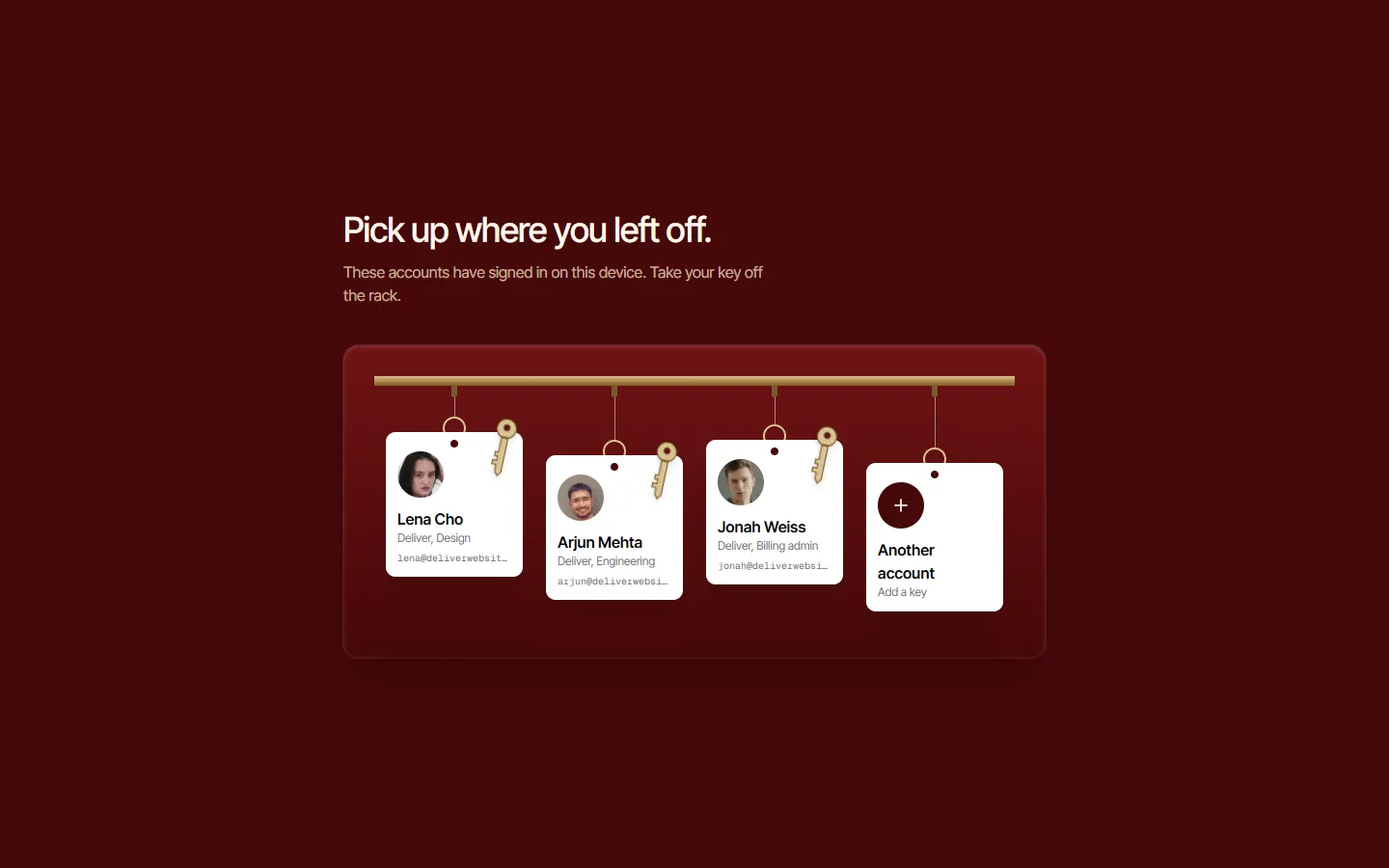
React account switcher component: a choose-an-account React login page drawn as a key rack: every remembered account hangs as a key with a tagged face and workspace, swings when pointed at, and lifts off the rack to sign in.
Features
- On an oxblood board, each remembered account hangs from a brass rail as a key and paper tag: photo, name, workspace and email
- Pointing at a key pushes it from the side the pointer came in, and it swings on its hook until it settles
- Picking a key lifts it off the rack and dims the others while that account signs in
- The last hook is empty: it opens an email field with single sign-on and passkey options
- Every key is a real button with a focus ring; a failed sign-in hangs the key back up and says why
- Takes an async onChoose; the swing is skipped for reduced motion
Best for: Products where one person or one shared device holds several accounts or workspaces and has to pick one before signing in.
Installation
npm install motion lucide-react clsx tailwind-mergeThen copy the files from the Code tab into the same paths in your project, in TypeScript or JavaScript.
Props
| Prop | Type | Default | Description |
|---|---|---|---|
| title | string | - | The headline. |
| description | string | - | The line under the headline. |
| accounts | RackAccount[] | - | The accounts on the rack: id, name, email, workspace and photo. |
| labels | { signingIn: string; failed: string } | - | The line while signing in, with {name}, and the error. |
| other | object | - | The empty hook's tag, and the form it opens: email label, button, single sign-on and passkey links. |
| success | { title; description; action: { label; href } } | - | What the page says once signed in; {name} is the first name. |
| onChoose | (account: RackAccount) => Promise<boolean> | - | Signs the chosen account in: false hangs the key back up. |
| onContinue | (email: string) => void | - | Called with the email typed for an account that is not on the rack. |
| className | string | - | Classes on the page. |
FAQ
Is the Account Switcher Login Page as a Key Rack free to use?
Yes. Account Switcher Login Page as a Key Rack is free to copy into your own projects. Open the Code tab and paste the files into your app.
Does Account Switcher Login Page as a Key Rack work with Next.js and React?
Yes. It's a React client component made for the Next.js App Router, styled with Tailwind CSS and animated with Framer Motion (the motion package).
Can I use Account Switcher Login Page as a Key Rack in JavaScript instead of TypeScript?
Yes. Every file comes in TypeScript and JavaScript. Switch the language in the Code tab.
What does Account Switcher Login Page as a Key Rack need installed?
motion, lucide-react, clsx, tailwind-merge, plus the shared helpers from the Installation page.
Is Account Switcher Login Page as a Key Rack accessible?
Every link and button is reachable by keyboard with a visible focus ring, and the animation stays still for visitors who ask for reduced motion.